Deploy
Deploying
Deploy from a Git repository, from a folder or from an image, and use kuiper.json when you need to change what Kuiper detects.
On this page
Three ways to deploy#
Every deployment starts from some source. Kuiper builds it into an image, starts the image as a unit and waits for it to be healthy before it takes traffic.
| Source | Use it when | Command |
|---|---|---|
| Git repository | You want every push to deploy. | kuiper link, then kuiper build |
| Folder | You want to ship what is on your disk, with no repository. | kuiper deploy --source |
| Image | You already build images elsewhere. | kuiper deploy --image |
In the dashboard, all three are tabs on the New project page. A unit's page offers them under Source and Advanced.
From Git#
Kuiper builds a unit from a repository and deploys on every push to the branch you choose. A public repository needs no setup. A private one needs a credential, and the easiest is the Kuiper GitHub App.
Connect GitHub#
Open the Git page and choose Connect GitHub. The same button appears on the New project page the first time.
- GitHub asks where to install the app and which repositories it may read.
- GitHub asks you to authorise Kuiper. Kuiper links the installation only if your GitHub account can see it.
- You land back in the dashboard with your account named.
The connection shows up as a credential called github-<account>. Each build gets its own token. The token reads one repository, is read-only and expires within an hour. Pushes build automatically, with no webhook to add.
Pick a repository#
Open New project and stay on the Git repository tab. Kuiper lists the repositories it can read. Pick one with Import.
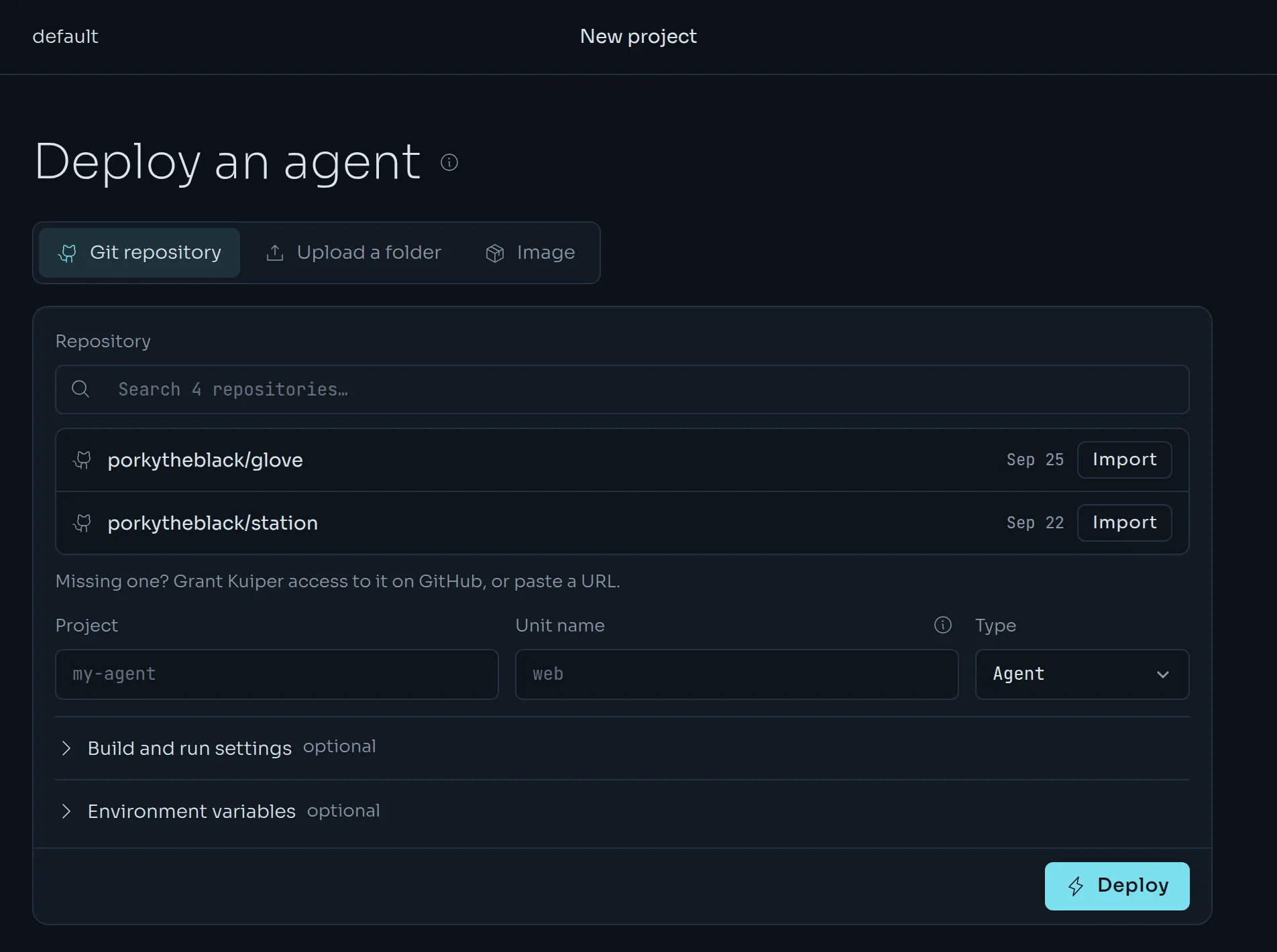
Kuiper then inspects the repository through the GitHub API, without cloning it. It shows what it found:
- the framework, Foundry, Station or another Node app;
- the package manager;
- the directory to deploy, with a dropdown when a monorepo holds several apps;
- the install, build and start commands, and the port;
- the environment variable names the code reads.
Check the values, fill in the Project and Unit name, choose a Type and press Deploy. Values that match what Kuiper detects are not saved as overrides, so detection keeps up when the repository changes.
A repository missing from the list was not granted to the app. Use Grant Kuiper access to it on GitHub to add it.
How detection works#
Kuiper recognises two frameworks.
- Glove Foundry from a
foundry.config.ts(or.mts,.js,.mjs) or aglove-foundrydependency. See Glove Foundry units. - Station from a
station.config.*file or astation-daemondependency. See Station units.
Both deploy with no Dockerfile and no kuiper.json. For any other Node app, give Kuiper a start command and a port in Build and run settings and it writes a minimal manifest for you.
Push to deploy#
When you link a repository, Kuiper tells you how pushes reach it.
| Mode | What it means |
|---|---|
github_app | Pushes arrive through the Kuiper GitHub App. Nothing to do. |
created | Kuiper added a webhook to the repository with your token. |
manual | Add the webhook Kuiper shows you: content type application/json, push events only. The secret is shown once. |
A push builds the unit when its branch matches the linked branch. Kuiper reports each build back to GitHub as a commit status named kuiper/<project>/<unit>, and a build that deploys also creates a GitHub deployment. Open a pull request and you see the status next to it. These are commit statuses and deployment records, not GitHub Actions runs. No logs, variables or secrets are sent to GitHub.
From the CLI#
Create the unit, link the repository and queue the first build:
kuiper units create web
kuiper link -u web --repo https://github.com/acme/web --branch main
kuiper build -u web
kuiper build also takes a Git ref, and can build without deploying.
kuiper build -u web --ref v1.2.0
kuiper build -u web --no-deploy
kuiper builds -u web
kuiper link takes --root-dir for a monorepo package, --build-env NAME=VALUE for variables the build needs, and --credential to name the credential to clone with. Build variables are never secrets. Runtime secrets are not available to the build.
If you have more than one credential, the first match wins:
- the credential named on the link, with
--credential; - the GitHub App installation on the repository's owner;
- your organisation's only token for that host;
- none, which clones anonymously.
Build and run settings#
When detection guesses wrong, change the settings per unit. They apply from the next build. The running deployment does not change until then.
| Setting | Replaces |
|---|---|
| Root directory | The repository root, for example apps/agent in a monorepo. |
| Install command | The detected install, for example pnpm install --filter agent.... |
| Build command | The detected build, for example pnpm build. |
| Start command | The manifest's entrypoint. It runs with sh -c, for example node dist/server.js. |
| Port | The manifest's first port. |
| Dashboard link | Nothing. It adds an Open dashboard button to the unit. |
They live under Build and run settings on the unit page, and in the CLI:
kuiper settings -u web
kuiper settings -u web --root-dir apps/agent --start-command "node dist/server.js" --port 3000
kuiper settings -u web --build-command ""
kuiper build -u web
An empty value clears a setting. The install and build commands apply only when Kuiper generates the Dockerfile, that is when your repository has none.
From a folder#
You do not need a repository. Kuiper can build what is on your disk.
In the dashboard, open New project, choose Upload a folder and drop a folder or a .tar.gz on it. On an existing unit, use Upload and deploy under Source.
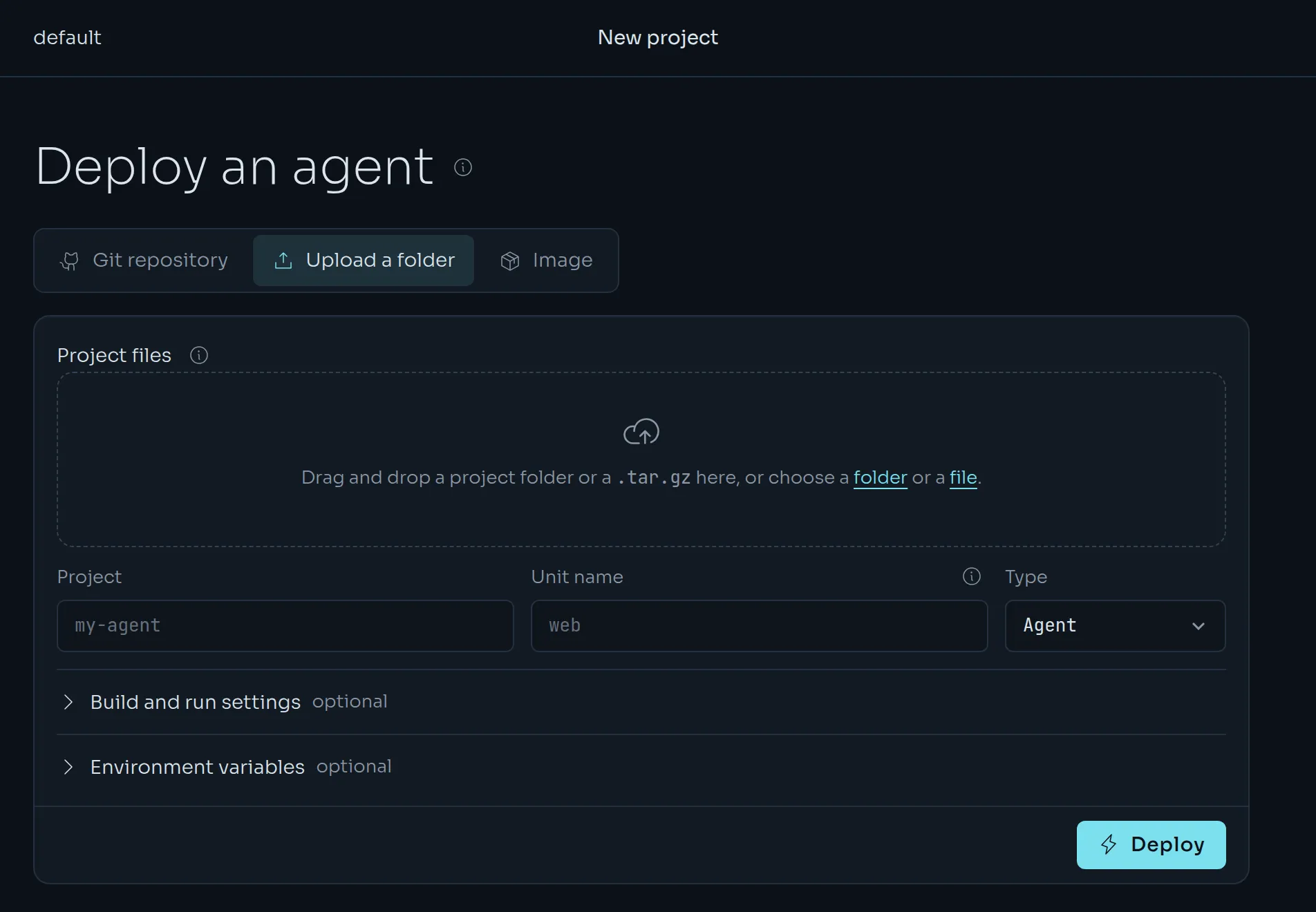
From the CLI:
kuiper deploy --source . -u web --waitThe CLI packs the directory and uploads it. A builder builds it exactly as it would a repository: your Dockerfile if there is one, otherwise the generated one for Foundry and Station. --wait streams the build log and returns when the deployment is live, or fails.
What gets uploaded:
- In a Git work tree: tracked files, plus untracked files that
.gitignoredoes not exclude. Uncommitted changes go too, and the build is labelled<dir>@<commit>+dirty. - Anywhere else: everything except
.git,node_modulesandtarget. - Never:
.envand.env.*files. Put secrets inkuiper secretsso they never end up in an image. Files like.env.exampleare kept. - Symlinks are left out. An upload is limited to 200 MiB compressed.
From an image#
If you build images yourself, deploy one directly. Kuiper needs the image and its manifest.
In the dashboard, choose the Image tab and fill in the image and the manifest.
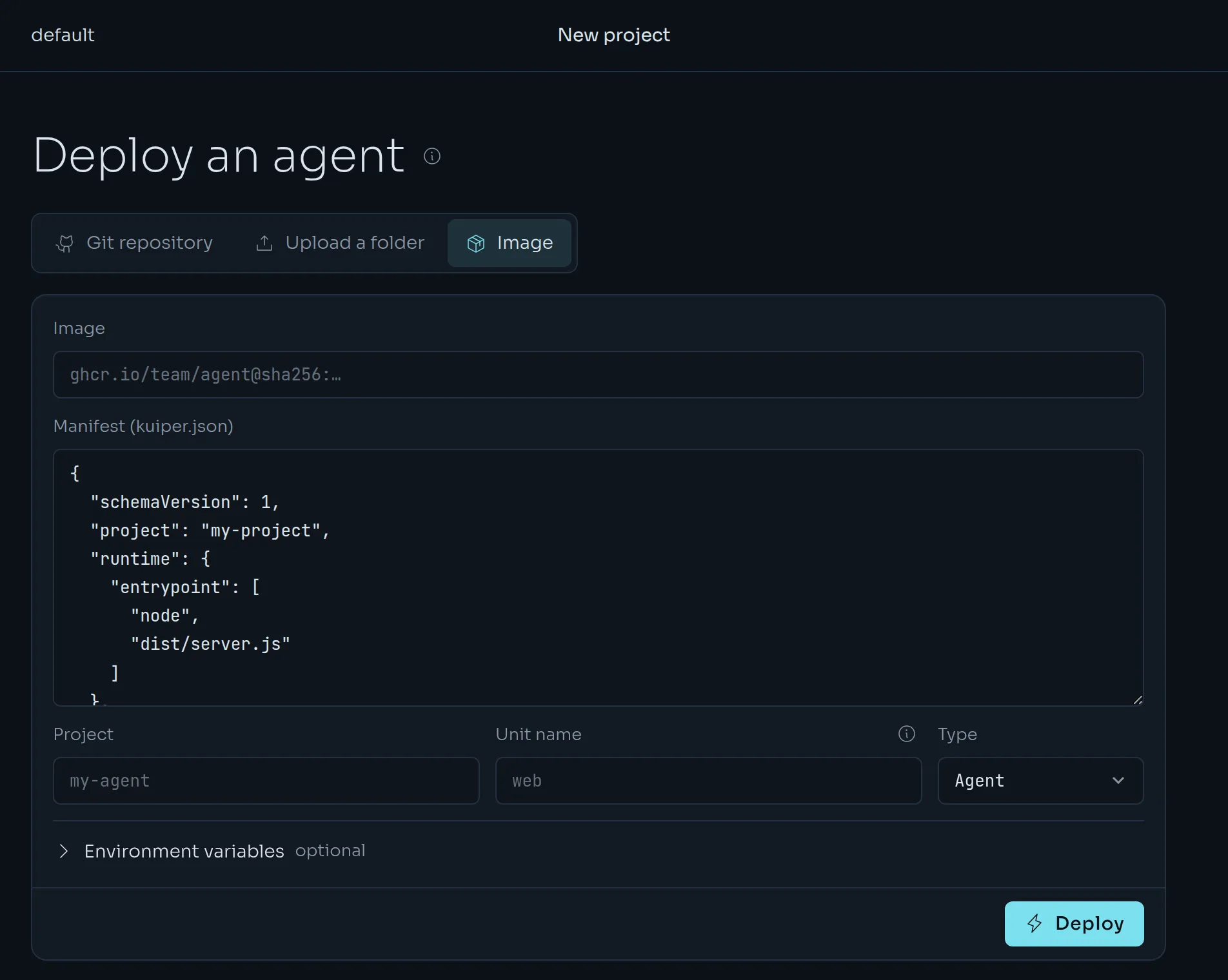
From the CLI, the manifest is the kuiper.json on disk:
kuiper deploy --image ghcr.io/acme/agent:1.4.0 -u web --manifest kuiper.json --wait--manifest defaults to kuiper.json in the current directory. For a private image, give Kuiper credentials for the registry once:
kuiper registry add ghcr.io --username your-github-user
kuiper registry list
The command prompts for the token. For GitHub's registry, use a token with read:packages. Credentials belong to one project. They are sealed on write and never shown again.
kuiper.json#
kuiper.json is the manifest. It says what the code needs: which ports to open, which variable names it reads, how much CPU and memory to reserve, and how to check that it is healthy. It never holds values. Where values come from is set in the project, see Variables and secrets.
Foundry and Station apps do not need one. The builder writes the same file it would infer, and uses a committed kuiper.json as it is. Write one by hand for anything else, or to change a default.
{
  "schemaVersion": 1,
  "project": "my-agent",
  "runtime": { "entrypoint": ["node", "dist/server.js"] },
  "ports": [{ "name": "http", "port": 8080, "public": true }],
  "env": {
    "required": ["DATABASE_URL", "ANTHROPIC_API_KEY"],
    "optional": ["LOG_LEVEL"]
  },
  "resources": {
    "request": { "cpu": 0.5, "memoryMiB": 512 },
    "limit": { "cpu": 1, "memoryMiB": 1024 },
    "volumeGiB": 5
  },
  "health": { "http": "/healthz", "intervalSec": 10 }
}| Field | What it does |
|---|---|
schemaVersion | Must be 1. |
project | A name for the app. It is informational. You pick the Kuiper project when you deploy. |
runtime.entrypoint | The program to run, as a list, for example ["node", "dist/server.js"]. |
ports | Named ports. A port with "public": true gets an address on the apps domain. |
env.required and env.optional | The variable names the code reads. A deploy fails if a required name has no value. |
resources.request | What Kuiper reserves for the unit. It drives placement and billing. |
resources.limit | The hard ceiling. It must be at least the request. |
resources.volumeGiB | The size of the unit's persistent disk, mounted at /data. |
health | An HTTP path to probe, or "tcp": true to check that the port accepts connections. |
capabilities | sandbox and browser, for apps that start child containers. |
placement.region | The region the unit prefers. |
Unknown keys are rejected, so a typo is an error and not a silent no-op.
Three CLI commands work on the file. They run offline.
kuiper manifest init
kuiper manifest validate
kuiper manifest schema
kuiper manifest initwrites thekuiper.jsonthe builder would infer for a Foundry or Station app. Pass--foundryor--stationwhen nothing is detected,--outto choose the file, and--forceto overwrite an existing one. Edit the file, then commit it.kuiper manifest validate [PATH]checks a file and prints what it declares.kuiper manifest schemaprints the JSON Schema, which you can point your editor at.
Next#
Your unit is running. Give it variables and secrets, or read its logs.