Operate
Teams, roles and tokens
Invite people, give them a role, create API tokens for the CLI and CI, and manage the Git credentials and registries your builds use.
Teams#
Your organisation is the team. Everyone in it sees every project. What a person can change depends on their role.
| Role | Can |
|---|---|
| Owner | Everything, including making and removing owners. |
| Admin | Members, invitations, API tokens, GitHub credentials and all projects. |
| Member | Deploy and operate every project, and create API tokens for their own work. |
People sign in with GitHub. Kuiper reuses the GitHub App it uses for builds, so there is nothing extra to set up on GitHub, and Kuiper keeps no GitHub credential for the person. A sign-in lasts 30 days of use and slides forward with every request.
Invite someone#
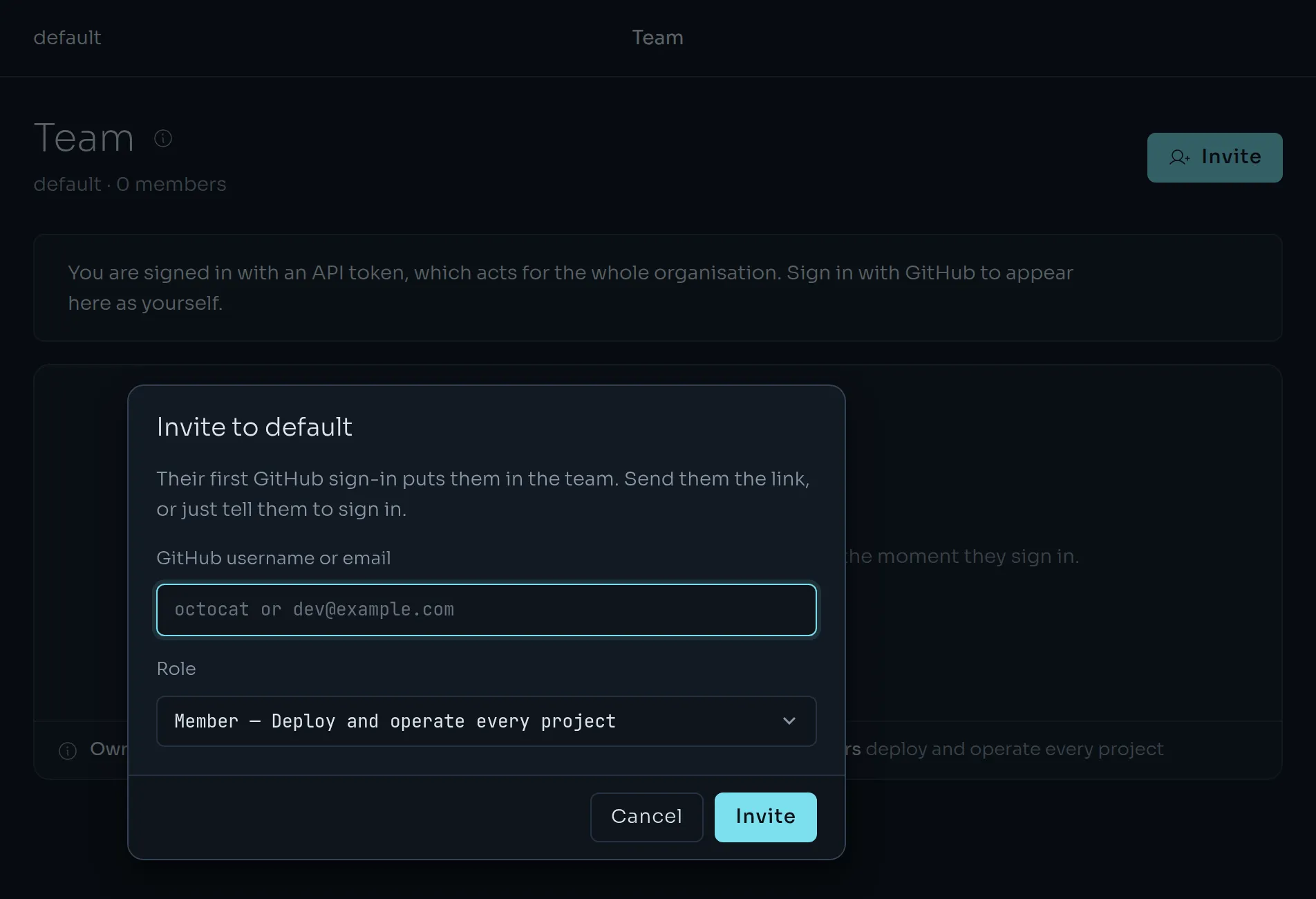
On Team, choose Invite. Enter a GitHub username or an email address, pick a role and send. Kuiper shows a link you can pass on. It works for seven days.
The invitation is accepted the first time that person signs in with GitHub, whether or not they use the link.
- A username matches that GitHub account exactly.
- An email matches only an address that is verified on their GitHub account.
A link made for one account will not admit another, and says so.
Someone who signs in without an invitation gets a personal organisation, named after their GitHub login, which they own. They can be invited into yours later and switch between the two from the sidebar.
Roles and leaving#
Admins change roles and remove members. Only owners touch owners. An organisation always keeps at least one owner, so the last owner can neither step down nor leave until someone else owns it too. Anyone else can leave from the Team page.
Removing a person ends their access to every project at once. API tokens they created belong to the organisation and keep working. Revoke those on API tokens if you need to. The token list shows who made each one.
API tokens#
People sign in with GitHub. Tokens are for the CLI, CI and scripts. An API token, kpr_…, acts for the whole organisation with admin rights. Kuiper stores only a hash of each token, so it is shown once, when it is created. Give each machine or person its own, named so you can tell them apart.
kuiper tokens list
kuiper tokens create ci
kuiper tokens revoke tok_…
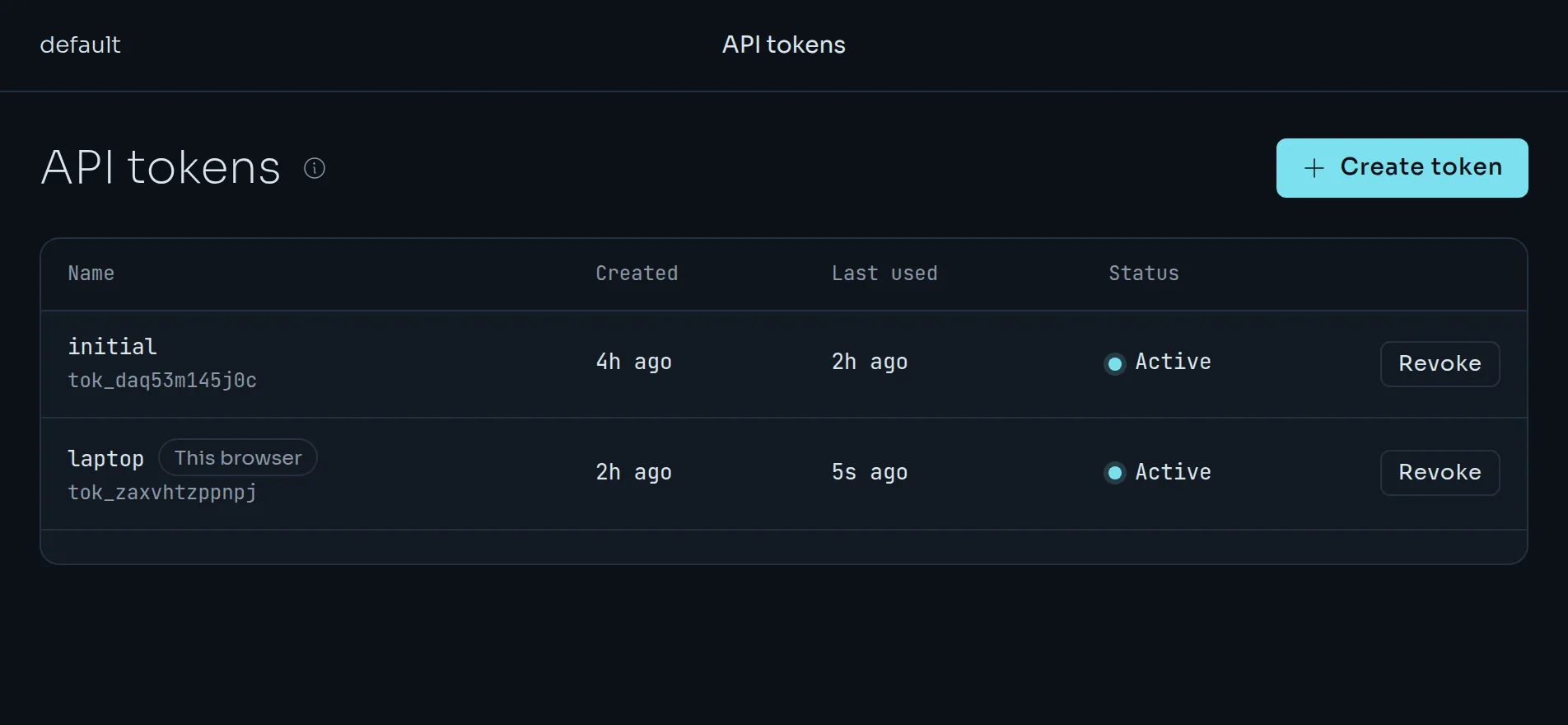
kuiper tokens list marks the token this CLI is using with *. In the dashboard, the same actions are on API tokens, and the token the browser is signed in with is marked This browser. kuiper login creates a token for your machine automatically. See Install and sign in.
- Revocation is immediate. The next request with a revoked token gets a 401. Revoked tokens stay in the list with the time they were revoked.
- You cannot lock yourself out. The organisation's last active token cannot be revoked. Create another one first. You can revoke the token you are using while another active one exists, and the dashboard signs you out if you do.
- Last used is updated at most once a minute per token.
Rotate a token#
- Create the replacement:
kuiper tokens create ci-2026-10. - Put it everywhere the old one is used: CI secrets,
kuiper login --token …, the dashboard. - Check that the old token's last used time stops moving.
- Revoke the old one:
kuiper tokens revoke <old id>.
If a token leaks, revoke it first and replace it after.
Git credentials#
Kuiper builds from a Git repository with a credential. There are two kinds. The Git page lists them and adds more.
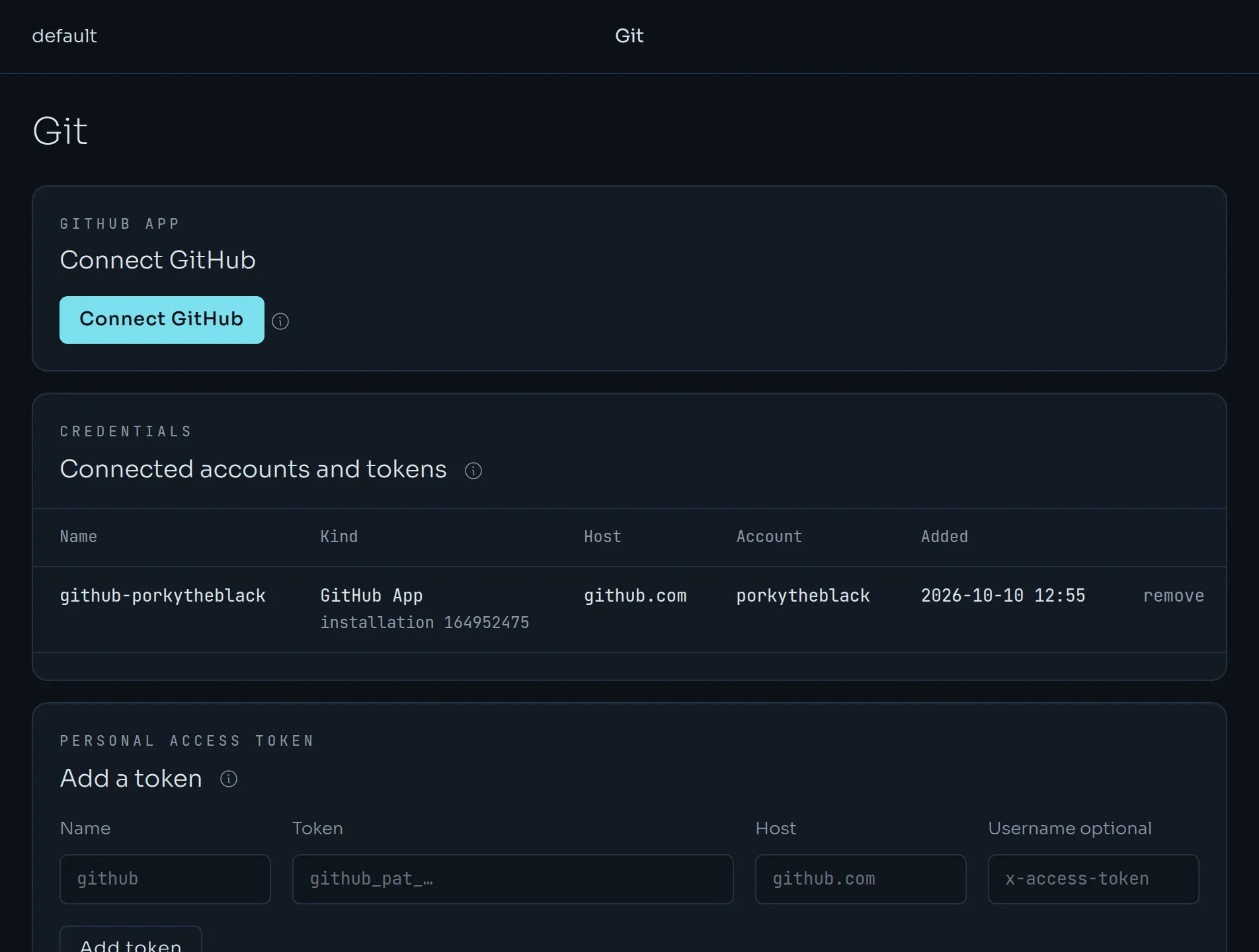
The Kuiper GitHub App is recommended. Choose Connect GitHub and install the app on your account or organisation, picking the repositories. See From Git. Each build gets its own token, which is read-only, covers one repository and expires within an hour.
A personal access token works without the app, and on other Git hosts such as GitLab. Create a fine-grained token on GitHub with Contents: read on the repositories you deploy. Add Webhooks: read and write if you want Kuiper to add the push webhook for you.
kuiper git add-token github
kuiper git add-token gitlab --host gitlab.com --username oauth2
kuiper git list
kuiper git rm github
The first command prompts for the token. Kuiper checks a github.com token against GitHub before it stores it. kuiper git github tells you whether the GitHub App is available on your instance.
Credentials are sealed when written and never returned. The builder receives one for each build only through Git's environment. It is never in a URL, a file or the build log.
Registries#
A unit can run any image. For a private image, add your credentials for that registry to the project, from Settings or the CLI.
kuiper registry add ghcr.io --username your-github-user
kuiper registry add docker.io --username acme --password "$DOCKERHUB_TOKEN"
kuiper registry list
kuiper registry rm docker.io
Use a GitHub token with read:packages for GHCR and an access token for Docker Hub. For any other registry, use the host exactly as it appears in the image name, including a port. Credentials belong to one project, are sealed on write, and are sent only to the nodes that run that project's units. Another project cannot use a private image just because yours pulled it.