Get started
Overview and quickstart
Kuiper deploys Glove Foundry and Station agents. Install the CLI, sign in, deploy an agent and watch it come up.
What Kuiper does#
Kuiper is a deployment platform for agents, the way Vercel is for Next.js apps. You give it code. It builds the code, runs it, gives it a public address and keeps it running.
- It knows your framework. Glove Foundry apps and Station daemons deploy without a Dockerfile or a config file. Kuiper detects them and picks the build, the start command and the port. Any other Node app deploys too, once you give it a start command and a port.
- It keeps state. Foundry and Station units get a persistent disk at
/data. Logs survive crashes and redeploys. Managed Postgres, Redis and object storage run inside your project. - It shows you the agent. The dashboard reads runs, signals, conversations and events straight from your running agents. There is nothing to wire up.
- It stays out of the way. Variables, secrets, domains and rollbacks are one command or one click each.
The pieces#
You will see these words everywhere in the dashboard and the CLI.
| Term | What it is |
|---|---|
| Organisation | The team that owns everything. Everyone in it sees every project. |
| Project | A group of units that belong together. Secrets, databases, buckets and domains belong to a project. It has a name and a slug, the short handle you pass to -p. |
| Unit | One agent or service you deploy. Each unit has its own address, logs and deployments. A unit is an agent (the default), a station daemon or a service. |
| Build | Turns source, a Git push or an uploaded folder, into an image. |
| Deployment | One image running as a unit. Deployments are numbered #1, #2 and so on. One is live at a time. |
| Variable | A setting a unit reads from its environment. Its value is a template, so it can point at a secret, a database or another unit. |
| Secret | A value Kuiper stores sealed and never shows again. |
Quickstart#
You need a Kuiper account. If you do not have one yet, request early access. You also need a folder with a Glove Foundry app, a Station daemon or a Node app.
Install the CLI.
curl -fsSL https://app.kuiper.sh/install.sh | shCheck it with
kuiper --version. More in Install and sign in.Sign in.
kuiper loginYour browser opens the dashboard and shows a short code. The terminal shows the same code. Approve it in the browser and the CLI receives its own API token.
Create a project and a unit.
kuiper projects create my-agent
kuiper use my-agent
kuiper units create web
kuiper usesets the default project, so you can leave out-pfrom now on. The unit is calledweb, which is also the default for-u. Deploying a Station daemon? Create the unit with--kind station.Deploy your folder.
cd path/to/your-agent
kuiper deploy --source . -u web --wait
The CLI uploads the folder, streams the build log, then prints each step of the rollout until the deployment is live.
uploading 38 files (96 KiB) as your-agent@3f9c2a1
…
live ✓
See it live.
kuiper status -u web kuiper logs -u web -fstatusprints the unit's address and its live deployment.logs -ffollows the output. Open the address in your browser, or find the unit in the dashboard.
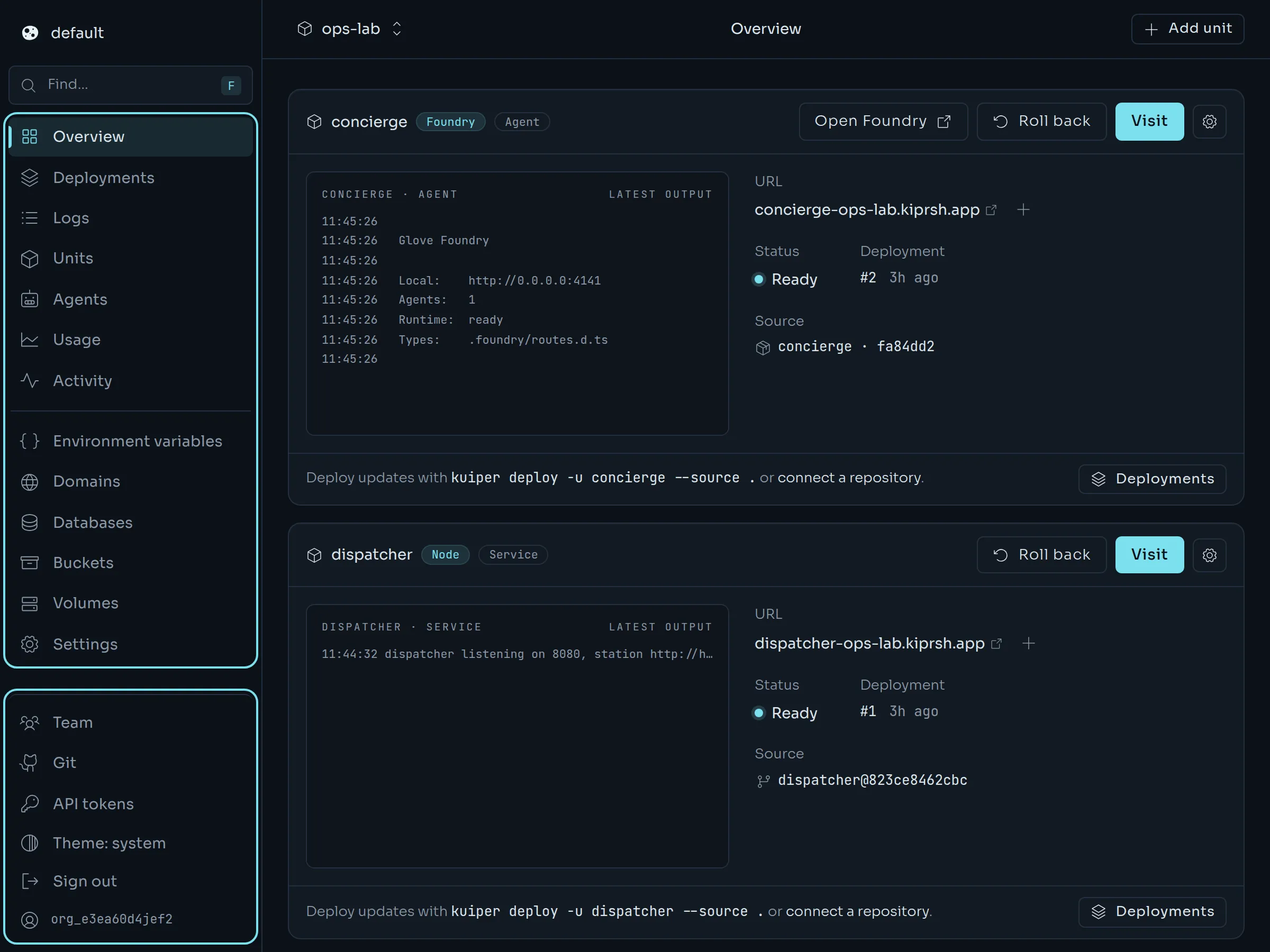
Prefer the dashboard? Open New project, pick a repository or drop a folder, and press Deploy. Deploying covers all three ways in.
Where to go next#
kuiper.json does.DeployVariables and secretsPoint a unit at a secret, a database or another unit.AgentsStation unitsDeploy a Station daemon and inspect its signals, runs and beacons.AgentsGlove Foundry unitsDeploy a Foundry app, protect it and read its runs.ReferenceCLI referenceEvery command and flag on one page.AgentsExample: ops-labA Station network, a service and a Foundry agent in one project.