Agents
Example: ops-lab
One project with a Station headquarters and workers, a service that drives them and a Foundry agent that reads them. Shipped with a single script.
ops-lab is an example in the Kuiper repository that exercises most of what Kuiper does for agent workloads. It is one project, shipped with one script. The screenshots throughout these docs come from it.
What is in it#
| Unit | Kind | What it is |
|---|---|---|
hq | station | The Station headquarters. It accepts API calls and reconciles schedules and broadcasts. |
worker-eu and worker-ke | station | Station execution stations that run signals and supervise beacons. Region labels drive placement. |
dispatcher | service | A small Node service that triggers the order pipeline and reads runs with a Kuiper-minted Station key. |
concierge | agent | A Glove Foundry agent whose tool reads Station runs with a read-only key. |
The project also has a Postgres database main, a Redis cache and a bucket reports. Every Station unit shares the Postgres, so the run queue, broadcasts, schedules and fleet membership live in one database that every unit sees.
 dispatcher ── trigger + read key ──▶ hq ◀── read key ── concierge
  (service)                       (headquarters)          (Foundry)
                                       │
                          Postgres `main`, shared
                                       │
                      ┌────────────────┴────────────────┐
                  worker-eu                         worker-ke
            signals and beacons               signals and beacons
                      │
          Redis `cache` · bucket `reports`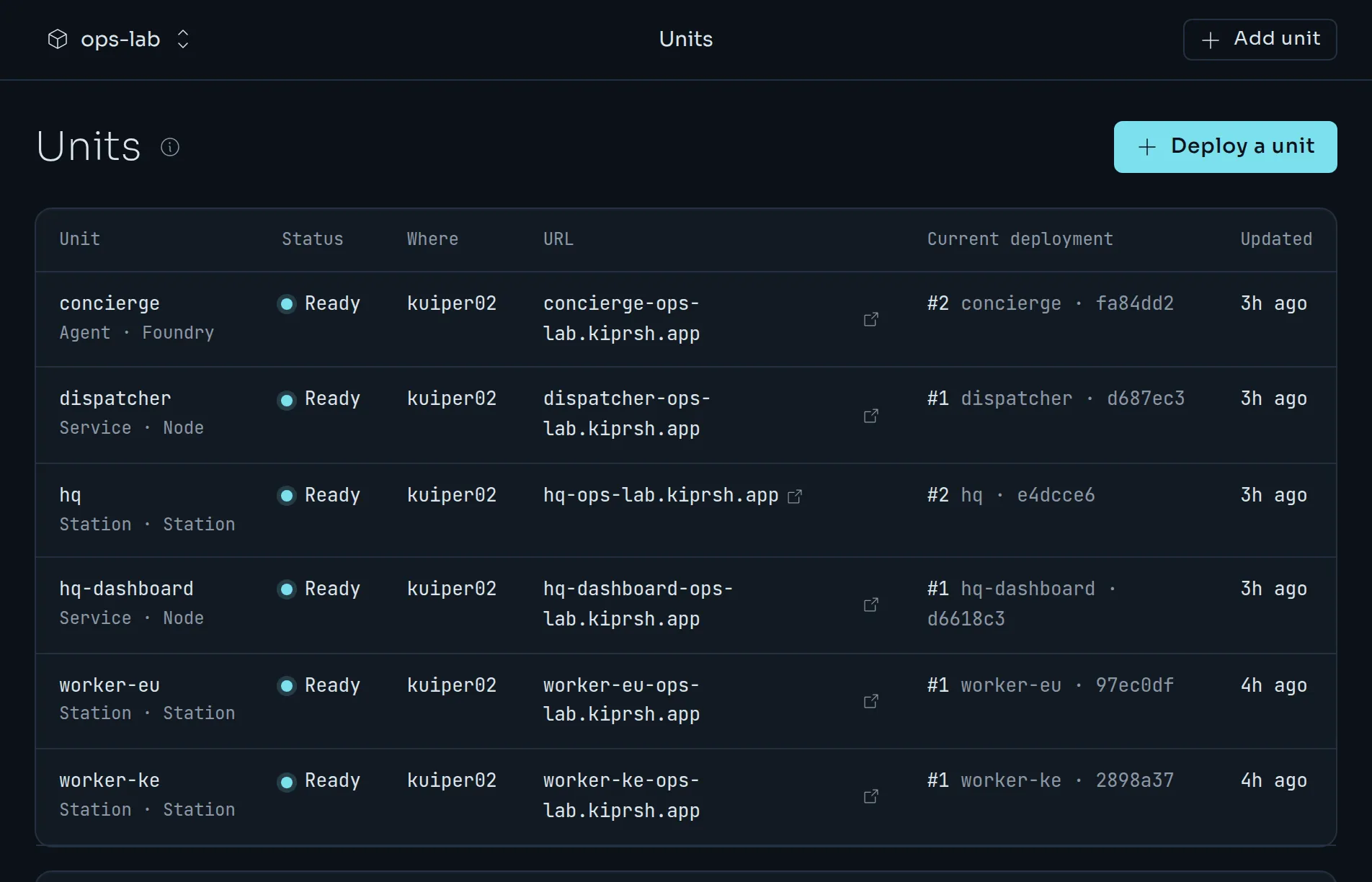
What runs inside Station#
- Signals.
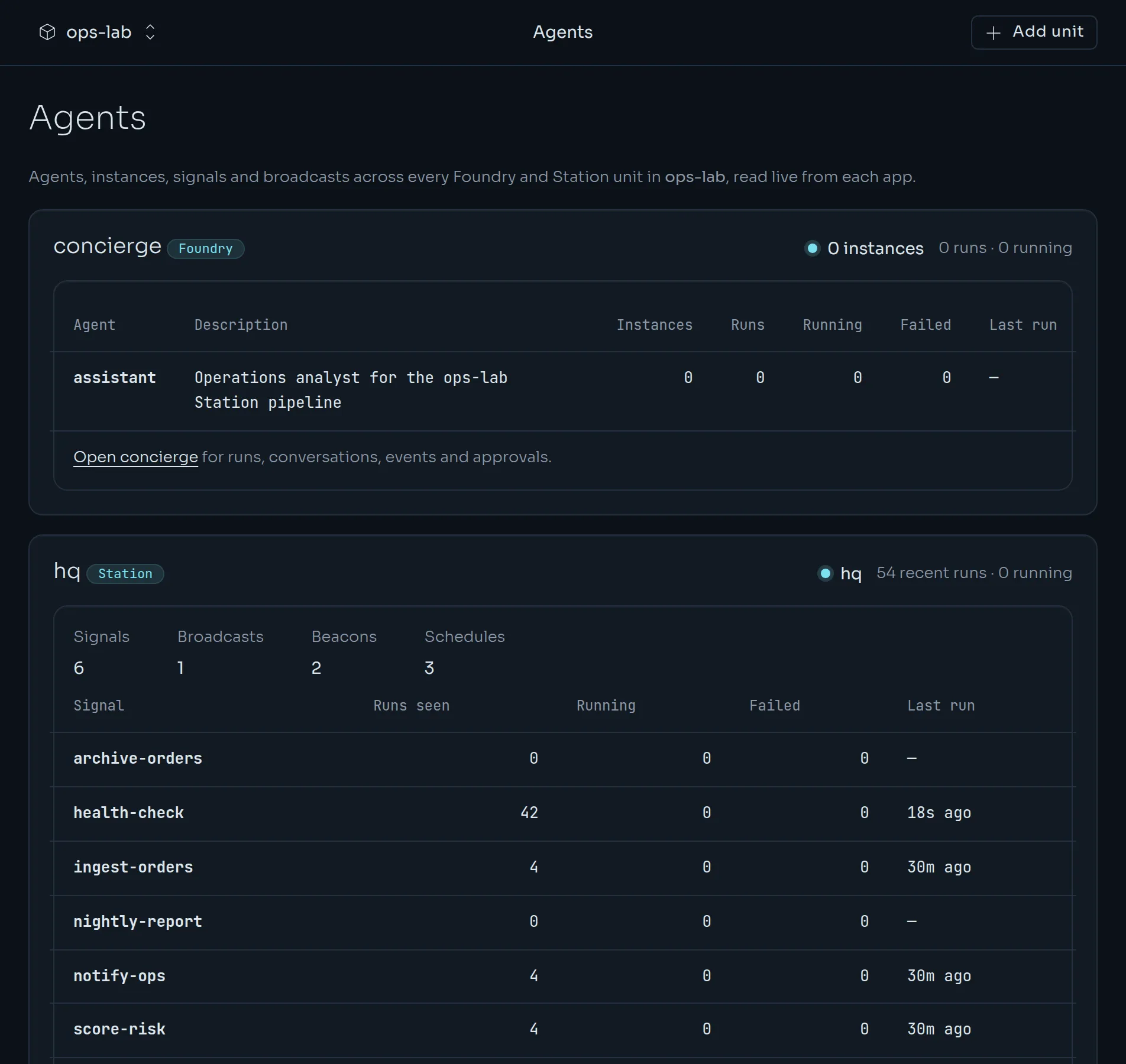
ingest-ordersfetches, validates and stores orders.score-riskflags the risky ones.notify-opspushes a summary to Redis.health-checkprobes Postgres and Redis.nightly-reportwrites a JSON summary to the bucket.archive-orderswaits for a worker in thekeregion. - A broadcast.
order-pipelineruns ingest, score and notify in order, and stops at the first failure. - Beacons.
queue-watcherturns each item on a Redis list into an ingest run, with restarts and backoff.heartbeatpolls every minute. - Schedules.
health-checkevery five minutes,order-pipelinehourly andnightly-reportat 02:15 UTC.
Ship it#
Sign in once, then run the script from the example's directory.
kuiper login
cd examples/ops-lab
./ship.sh
By default it ships one worker in region eu. Environment variables change that:
WORKERS="eu ke" WITH_DASHBOARD=1 ./ship.sh
OPENROUTER_API_KEY=sk-or-… ./ship.sh
The first adds a second worker and Station's own dashboard as a companion unit. The second gives the concierge a real model instead of the built-in demo model.
The script is safe to run again. It creates what is missing, rebinds variables, redeploys from source with kuiper deploy --source … --wait, rotates the Station keys in place, adds the schedules once, and sends one order through the dispatcher before it prints where to look. Underneath, it is the commands you have already met. A trimmed sketch:
kuiper projects create ops-lab
kuiper db create postgres main
kuiper db create redis cache
kuiper buckets create reports
kuiper units create hq --kind station
kuiper env set -u hq 'DATABASE_URL=${{main.DATABASE_URL}}' STATION_ROLE=headquarters
kuiper deploy --source station -u hq --wait
kuiper station create-key dispatcher --scope trigger,read -u hq
kuiper env set -u dispatcher 'STATION_API_KEY=${{secrets.STATION_KEY_HQ_DISPATCHER}}'
What to look at afterwards#
- hq, Inspect. Signals, runs with their steps and logs, broadcasts, beacons per worker, schedules, live events and the keys. See Station units.
- Agents. Every Station unit with its run health, and the concierge agent.
- dispatcher. Its public address is a status page.
POST /ordersruns the pipeline. - concierge. Open its address and sign in with the login from
kuiper dashboard -u concierge. Start a run ofassistantand ask what failed today. The trace shows the model calling thestation_runstool. - Keys.
kuiper station keys -u hqlists them.kuiper station revoke-key <id> -u hqrevokes one. - Logs.
kuiper logs -u hq -f, and the same for each worker.