Operate
Credit and payments
Buy credit for your organisation, see what is left and what it paid for, and what happens when it runs out.
On this page
How billing works#
Some Kuiper installations bill for what you use. Where billing is on, your organisation pays up front: it buys credit, and what it uses is taken from that credit.
- Credit is in US dollars, like every price on the Usage page.
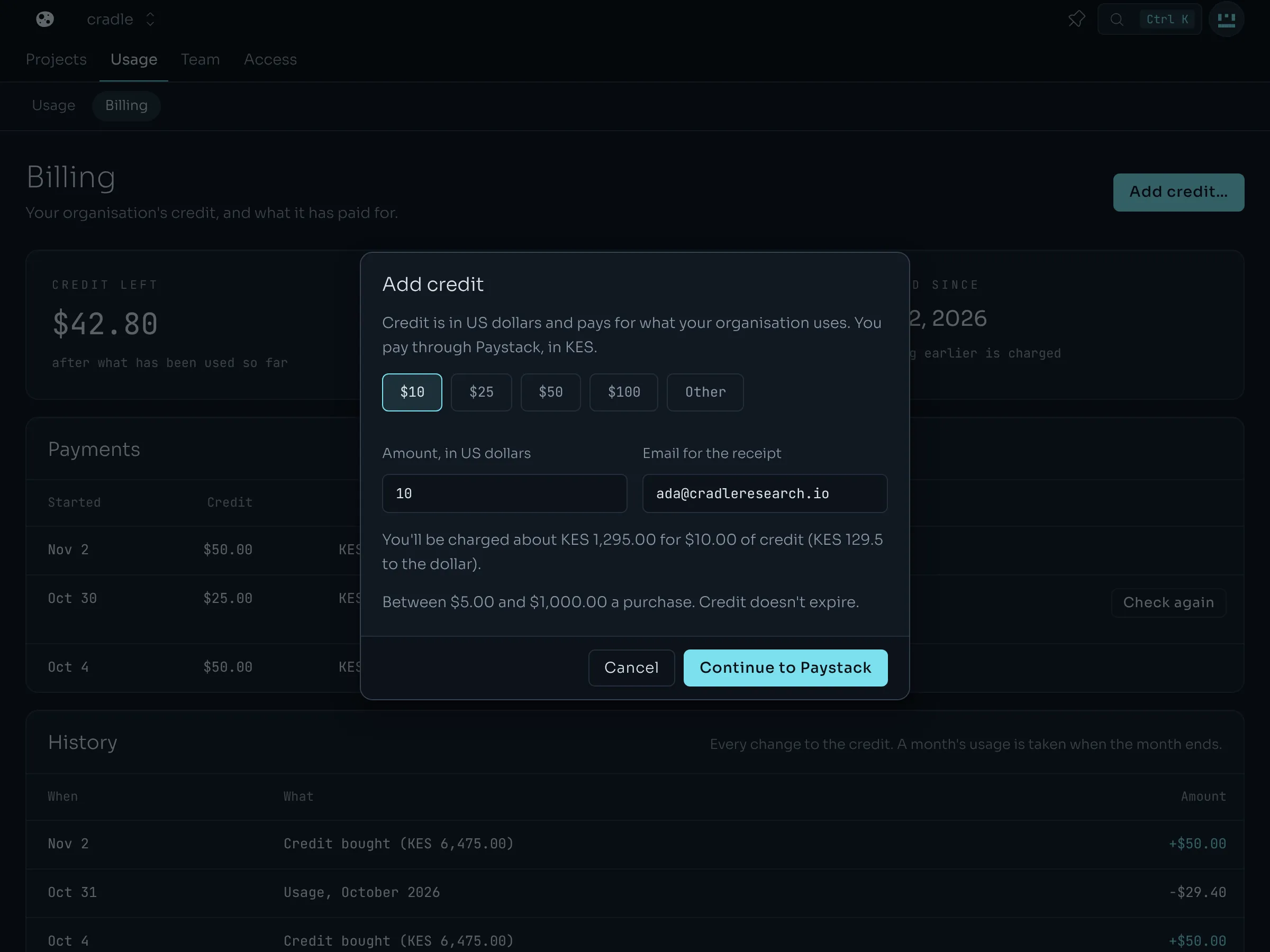
- You may be charged in another currency. The purchase dialog shows the amount and the exchange rate before you pay.
- Credit doesn't expire.
- Nothing you used before billing started for your organisation is charged. The Billed since date says when that was.
Open the organisation's Usage tab and choose Billing. If the page says billing isn't switched on, there is nothing to pay.
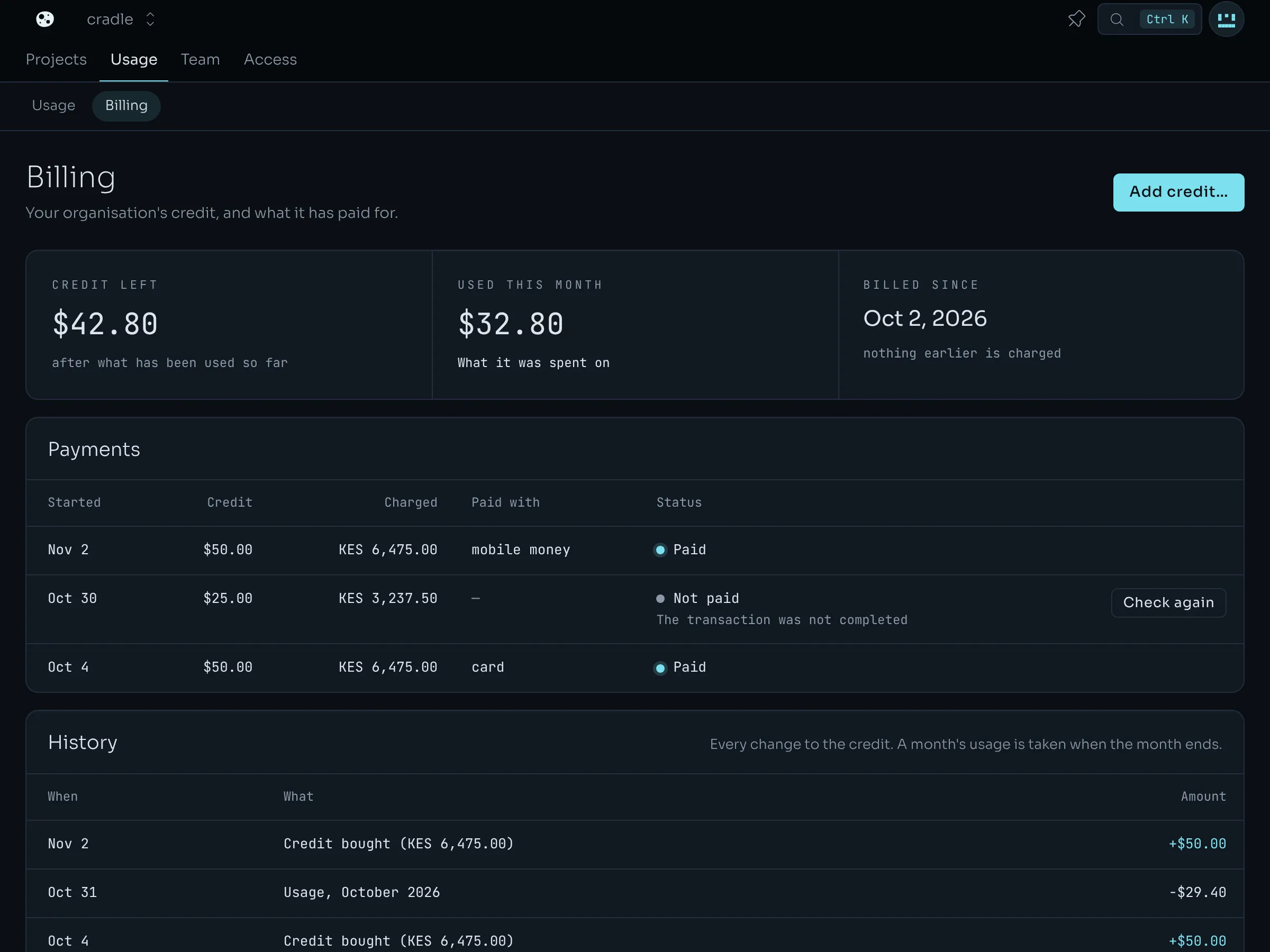
Add credit#
Owners and admins can add credit.
- On Billing, choose Add credit….
- Pick an amount, or type one. Some installations sell only the amounts shown, and then there is nothing to type. The dialog shows what you will be charged.
- Check the email address for the receipt.
- Choose Continue. You go to the payment provider's page to pay.
- When you have paid, the provider sends you back to Billing. The credit is there.
If you close the provider's page after paying, the credit still arrives, usually within a minute. A payment that shows Not finished or Not paid has Check again, which asks the provider what became of it.
What the page shows#
| Part | What it is |
|---|---|
| Credit left | Everything paid in, less everything used so far. This month's usage counts as it happens. |
| Used this month | What the organisation has used since the month began, or since it was first billed. |
| Payments | Each purchase, what it was charged and how it was paid. |
| History | Every change to the credit: purchases, credit the operator gave, and each month's usage, taken once when the month ends. |
Members see whether credit is low or gone, but not the amounts.
When credit runs out#
What happens depends on how your installation is set up. The Billing page says which applies.
- A warning only. The page and the project overview say the organisation is out of credit. Nothing changes.
New work is refused.
- New deployments and builds answer 402.
- New browser sessions and sandboxes answer 402
out_of_credit. Live ones end at the end of an hour they can't pay for. - Restarts and rollbacks still work.
- What is running keeps running.
New work is refused, then running units are stopped.
- New work is refused as above.
- The Billing page says when units will be stopped. The operator chooses how long that is after the credit ran out.
- At that time each running unit is stopped. It shows Stopped: out of credit. Its address, variables, volumes, domains and deployments are kept. Nothing is deleted.
- Add credit, and the stopped units start again by themselves within a few minutes.
- A unit you stopped yourself stays stopped.
Add credit and new work is accepted again within a few seconds.
Organisations that aren't billed#
The operator can choose not to bill an organisation, or a person. Every organisation that person owns is then never billed. The Billing page says This organisation isn't billed. Its usage still shows under Usage.
A budget is a different thing: a cap you set on your own spending. Both can apply at once.